ORBIS Wound Analysis
Demo Launcher
This page demonstrates the integration with ORBIS Wound Analysis for Apple App Store review purposes.
Demo Instructions
- Open this page on your iPhone or iPad (the device must have ORBIS Wound Analysis installed).
- Tap Start Wound Analysis below to launch the app with demo parameters.
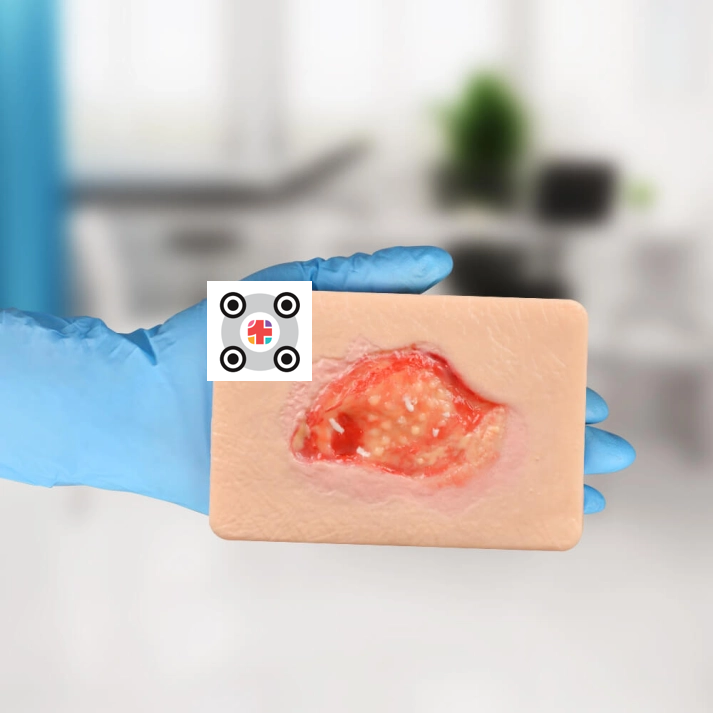
- Follow the instructions in the app using the provided demo wound.
- After completing all steps in the app, confirm completion by tapping Continue on the final screen.
- You will return to this page and see a confirmation of a successful upload.
Note: This demo site is intended exclusively for App Store review and will never be accessible to the general public.
ORBIS Wound Analysis is only distributed to hospital customers and used by licensed professionals (doctors, nurses) under contract. End-users (patients) or private individuals cannot access or use this app.
In practice, hospital staff use the ORBIS interface or the ORBIS Info4U platform to launch analyses—not this demo page.
ORBIS Wound Analysis is only distributed to hospital customers and used by licensed professionals (doctors, nurses) under contract. End-users (patients) or private individuals cannot access or use this app.
In practice, hospital staff use the ORBIS interface or the ORBIS Info4U platform to launch analyses—not this demo page.
Demo Wound
© 2025 Dedalus HealthCare GmbH (Marc Hein)